What's the deal? - A monthly reminder of useful features within R&R
Leave overview over a longer period of time
Are you planning for the vacation season? Around the summer vacations, many employees request time off at the same time. As a manager, you want to be able to see all leave requests in one overview, so you can easily assess whether to approve everyone's requests.
The Calendar view of the Absence Overview allows you to view all approved and requested leave requests for a four-week period. You can approve or deny requests directly by clicking on them.
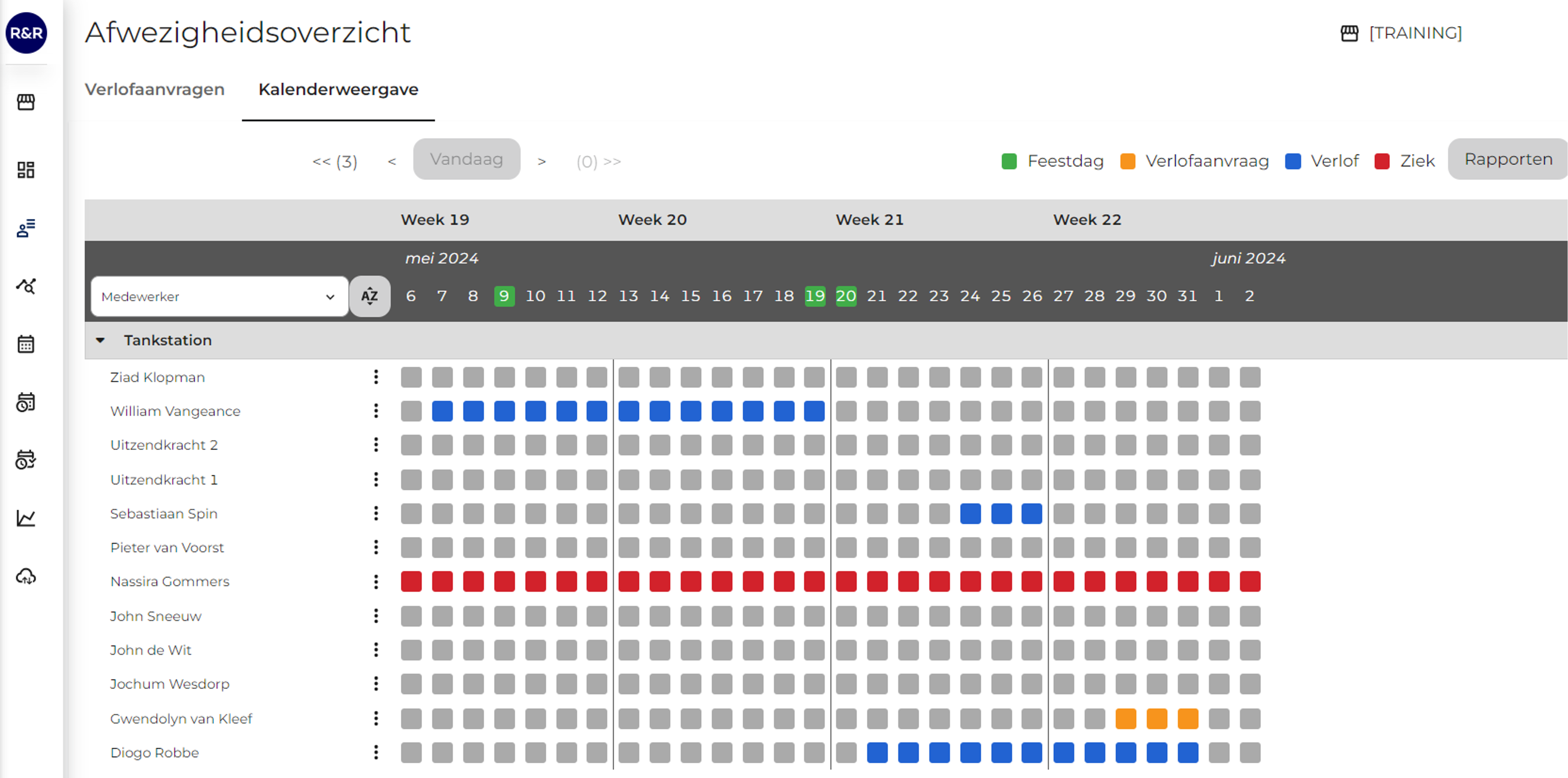
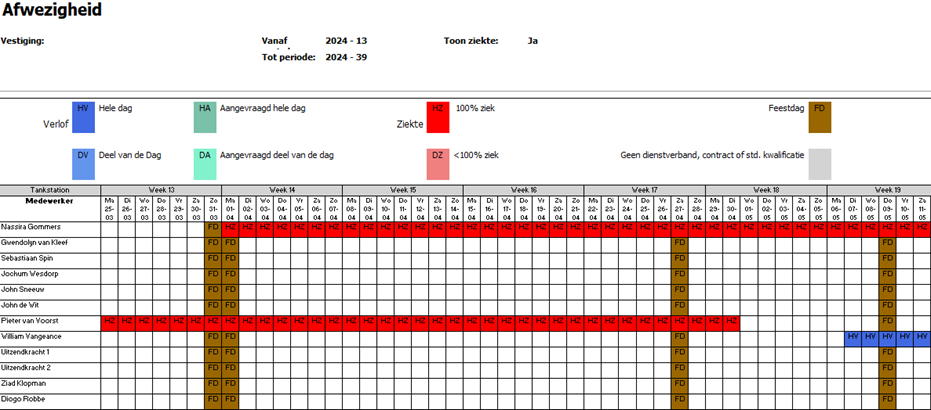
Do you need a view covering a longer period? You can use the "Reports" button to download an expanded view of this screen, which shows leave requests for a 27-week period. Using this screen and the reports, you can use R&R to properly review leave requests.
Questions?
Do you have any questions in response to the above information? Please contact us at aftersales@rr-wfm.com and we will make sure your question or information gets to the right people.