
When registering an illness in R&R, it is possible to give the illness an original start date. Specifying an original start date allows you to indicate that the illness started earlier.
Entering an original start date in the past may affect the number of waiting days assigned and the distinction between short-term and long-term sick leave. This is also reflected in the report, as the sick leave may be classified directly as “long-term sick leave.”
How do you give an illness an original start date?
1. Register a new disease in R&R.
2. Select that the illness is continuous.
3. Enter the original illness start date.
- The start date is self-selectable, but the default suggestion in the screen is the the start date of the last completed illness.
4. Select the illness reason for the new illness.
5. Save the disease record.
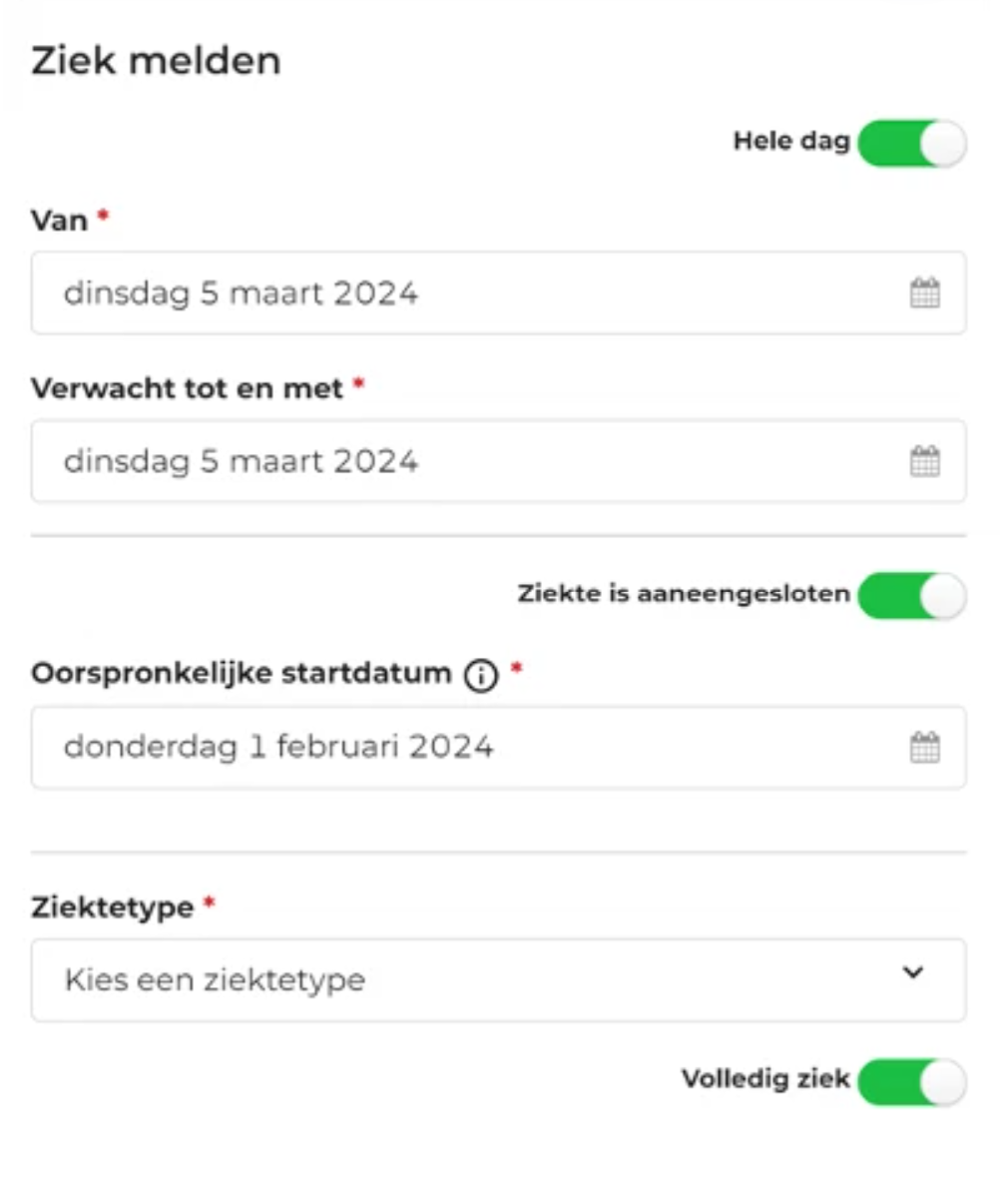
The new disease, with an original start date is now registered in R&R.